Before you begin
- Your Penny number from Numbers
- The phone or carrier account controlling your business line
- A second phone for the forwarding test
Step 1
Copy the destination from Numbers
Use the Penny number assigned to your business. Do not use the public demo number. Confirm Penny answers that destination when you dial it directly.
Step 2
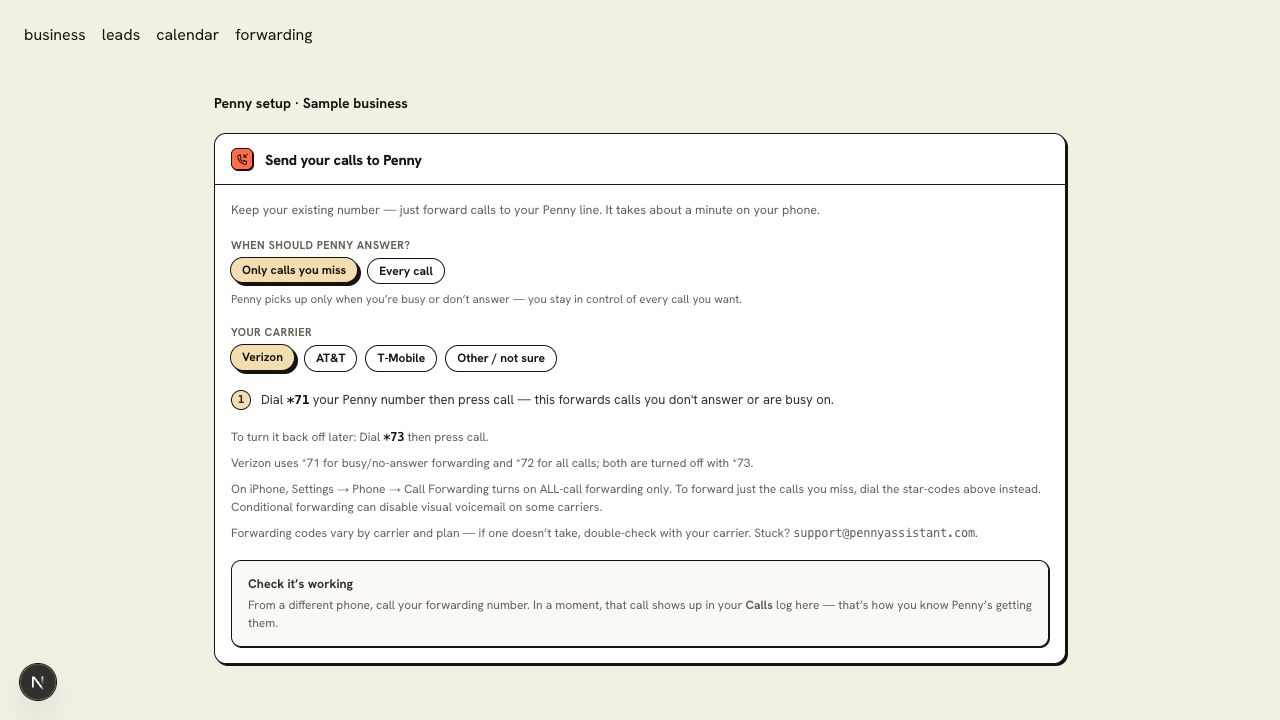
Choose when the business line should forward
Every-call forwarding sends the first ring to Penny. Overflow forwarding lets your team answer first and forwards busy or unanswered calls under your carrier’s rules.
Step 3
Open the instructions for the line’s carrier
Choose Verizon, AT&T, T-Mobile, or Other carriers below. The instructions come from the same carrier recipes used in your dashboard. Plans, landlines, and hosted phone systems can use different procedures.
Visible and Verizon prepaid codes are not yet verified here. Ask your carrier or email support@pennyassistant.com with the plan name before changing forwarding.
Step 4
Test the original number from another phone
Call the business number your customers already know. For overflow, let it ring unanswered and then test while the line is busy. Confirm Penny answers and the summary reaches your inbox.
Keep the carrier’s disable instruction nearby. If calls do not follow the expected path, turn forwarding off and verify the plan-specific procedure with support.
You are ready when
A call to your existing business number reaches Penny under the forwarding mode you chose.
If the test does not pass
- Conditional forwarding can change voicemail behavior. Test unanswered calls as well as calls your office answers.
- For a landline or hosted phone system, confirm the line’s forwarding settings with its provider; mobile codes may not apply.
- Avoid forwarding Penny’s destination back to the original business line, which can create a loop.
Questions about this setup
Will customers need a new number?
No. Forwarding sends calls from your existing business number to the Penny number assigned to your account. Customers keep dialing the number they already have.
Can I start with only the calls I miss?
Yes. Choose overflow if your carrier supports it. Your phone rings first, and Penny receives the calls that meet the carrier’s busy or no-answer conditions. Test each condition from another phone.