For the office managing the rota
Your on-call schedule tells Penny whose phone to ring tonight.
Two techs sharing nights, a weekend crew phone, or a list of on-call vendors: put the rotation in Penny’s schedule. When a caller needs your team, Penny tries the contact covering that shift with the request and callback details ready. Your rules decide which calls need a transfer and which become messages.
Included on Pro
14 days of Pro included. No credit card.
01
Write down the rotation your team has agreed to cover
Choose the day, hours, timezone, and person responsible. Include the next contact so a missed transfer has a defined follow-up. Review overnight shifts that cross midnight. Support can help apply the rota and escalation contacts to your Pro account.
A Wednesday night call follows Wednesday night’s contact. When someone swaps that shift, update the saved rota and check the receiving number. Give each location its own coverage rules so the right office receives the request.
| Day | Office hours | Evening | Overnight |
|---|---|---|---|
| Monday | Office | On-call A | On-call B |
| Tuesday | Office | On-call B | On-call A |
| Wednesday | Office | On-call A | On-call B |
| Thursday | Office | On-call B | On-call A |
| Friday | Office | On-call A | On-call B |
| Saturday | On-call B | On-call B | On-call A |
| Sunday | On-call A | On-call A | On-call B |
02
A warm transfer gives the technician the intake first
With a warm transfer, Penny briefs the person answering before connecting the caller. The address, callback number, and reported problem travel with the call. The technician starts with the details already collected.
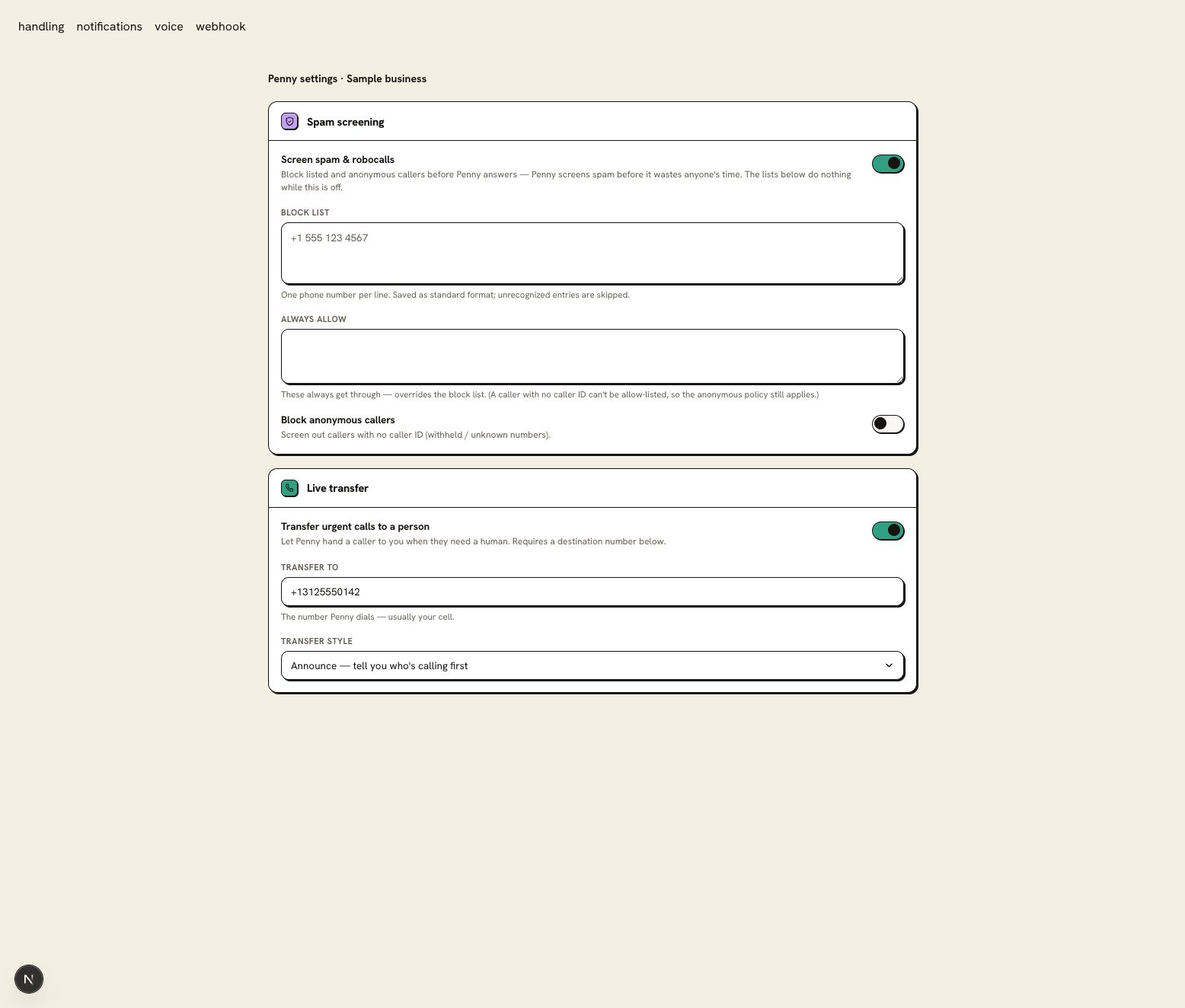
A blind transfer passes the call directly to the destination. Use it for an office queue or another line that already has its own intake process. The transfer destination and style are in Settings → Call handling; Announce is the option for the introduction before connection.
03
A missed transfer leaves the next contact a callback to make
If no one picks up, Penny follows your fallback: capture a message and notify the configured escalation contacts. The log records the attempt so the office can see what needs attention. Owner SMS is skipped during quiet hours, so include an enabled channel your team will monitor in that window.
Give callers the next step your business has approved. An alert sent to a technician is not confirmation that the technician has accepted the job or begun driving.
04
A second location can keep its own night contact
Multiple numbers and locations sit on Pro. Set the service area and transfer contact for each line, then test a request from each location. Keep the emergency instruction consistent where the same safety protocol applies.
Use dispatch to reach the responsible person. An arrival estimate still comes from your team’s current job schedule; a caller’s proximity alone does not establish when a truck will arrive.
Keep contact details current through the next handover
Send setup or plan questions to support@pennyassistant.com.
Yes. Use the number the person covering the shift will answer. A property manager can name the on-call plumber and a backup vendor, with the property and unit collected before the handoff.
Give Penny a call before you forward yours.
Try the HVAC demo, then set up Penny for your business. Your account includes 14 days of Pro; Free keeps your website chat after the trial.
14 days of Pro included. No credit card.