Before you begin
- The current on-call rota
- Direct contact numbers and permission to test them
- Your business timezone
Step 1
Prepare the contacts covering each shift
Record the day, start time, end time, timezone, and direct contact number for each shift. Check the date boundary on shifts that run past midnight. Use support to apply the rota to your Pro account and confirm the fallback contacts.
Step 2
Choose the transfer style
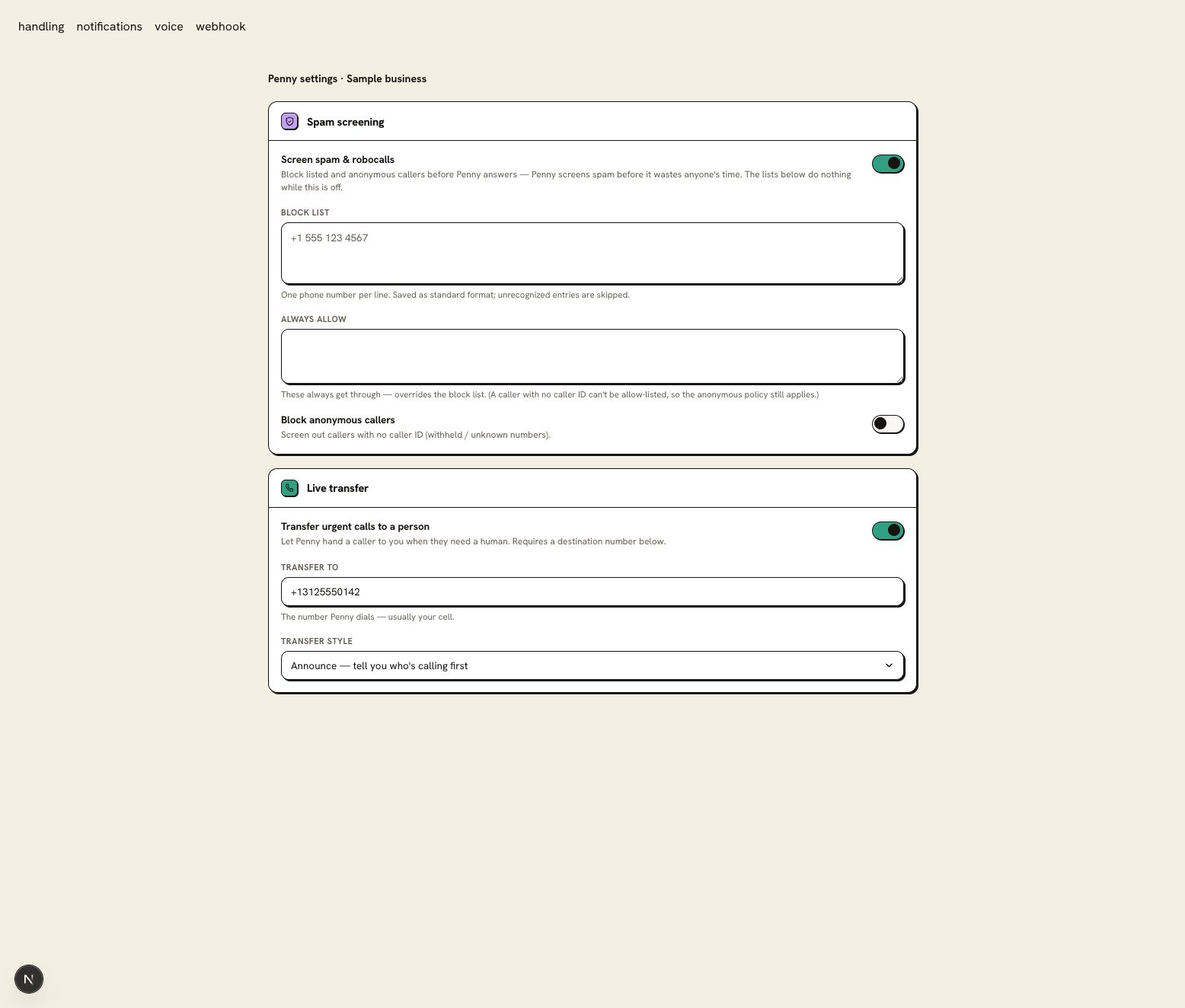
Open Settings → Call handling and check Live transfer and the Transfer to number. Under Transfer style, Announce lets the receiving person hear who is calling before taking the call; Blind passes the caller to the destination. Save the setting and test the receiving line.
Step 3
Name the next contact if the first misses the call
Include the next contact and the approved caller instruction in the rota you configure with support. In Settings → Notifications, check the notification email and the events your office receives. Owner SMS alerts are skipped during quiet hours; email can still send when enabled. Test a live-transfer or email fallback that your team will monitor.
Step 4
Call through both the normal and fallback paths
Make one test with the on-call person answering. Make a second agreed test where the first contact does not answer. Check the message, alerts, and transfer outcome in the call log.
You are ready when
The person assigned to the current shift receives the test, and an unanswered test follows the agreed fallback.
If the test does not pass
- If last night’s contact still rings, review the timezone and any shift crossing midnight.
- Keep the rota current when someone swaps a shift. A name in a calendar note does not change a saved transfer number.
Questions about this setup
Do I need a schedule if I carry the phone myself?
A single transfer number on Starter can cover that arrangement. Pro adds the schedule when more than one person or location shares the coverage.
Can an on-call vendor use the same setup?
Yes. Record the vendor’s after-hours number, the hours they cover, and the backup contact. Test with the vendor before sending customer calls through the route.