Before you begin
- A decision about who should answer during office hours
- Access to your carrier’s forwarding settings
Step 1
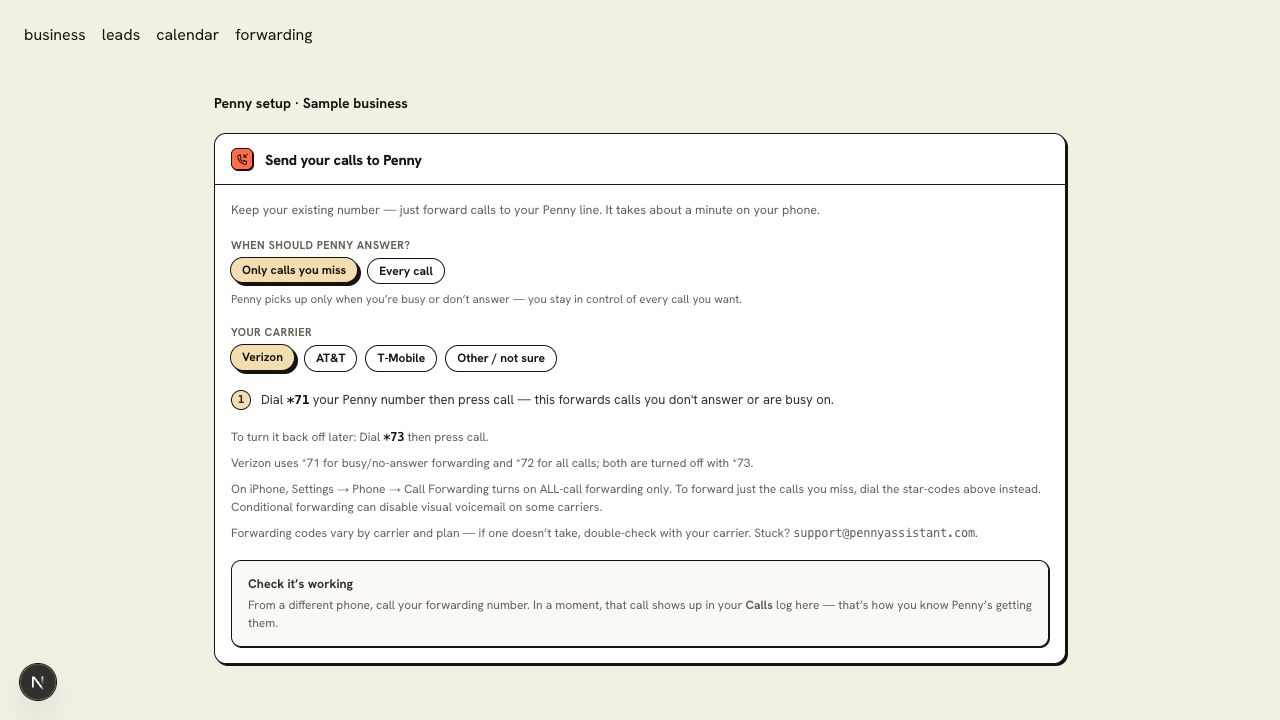
Choose overflow when your desk answers first
Use conditional forwarding if your receptionist or crew should have the first chance to answer. Penny receives the calls that meet the carrier’s busy, unanswered, or unreachable conditions.
This fits an office that wants help during a rush or while staff are on another call. The carrier controls how long the original phone rings.
Step 2
Choose every call when Penny handles first contact
Use all-call forwarding when Penny should answer the business line from the first ring. She collects your required details and follows the booking or transfer rules you set.
This fits an owner who works away from the phone or a line dedicated to new service requests.
Step 3
Set after-hours handling inside Penny
Write the closed-office greeting and urgent-call actions. Forwarding decides which calls reach Penny; her hours and rules decide how she handles the calls she receives.
Step 4
Make the test match the mode
For every-call forwarding, call the business line and confirm it reaches Penny. For overflow, test a missed call, a busy line, and a call the office answers. Check voicemail behavior before you finish.
You are ready when
Your office gets the first ring when you want it, and Penny receives the calls you intend her to handle.
If the test does not pass
- If every call forwards when you expected overflow, check whether you enabled all-call forwarding in the phone’s settings.
- If the phone rings too long, ask the carrier about its no-answer timeout. Changing Penny’s greeting will not change that timer.
Questions about this setup
Which mode should I try first?
Start with overflow if your office still wants to answer first. Choose every call if phone interruptions keep pulling you away from the work. You can change modes using your carrier’s instructions.
Do I need to change forwarding for an after-hours greeting?
No. Penny’s business hours and greeting control what callers hear after close. Change forwarding only when you want to change which calls reach her.